
Enterprise MLM software for large, multi-country networks
Established direct selling companies need more than a back office. MLM.ERP gives large networks a high-volume commission engine, multi-currency and multi-language operations, granular access control, audit trails and open APIs, so the platform fits your ERP, finance and logistics stack rather than standing apart from it.
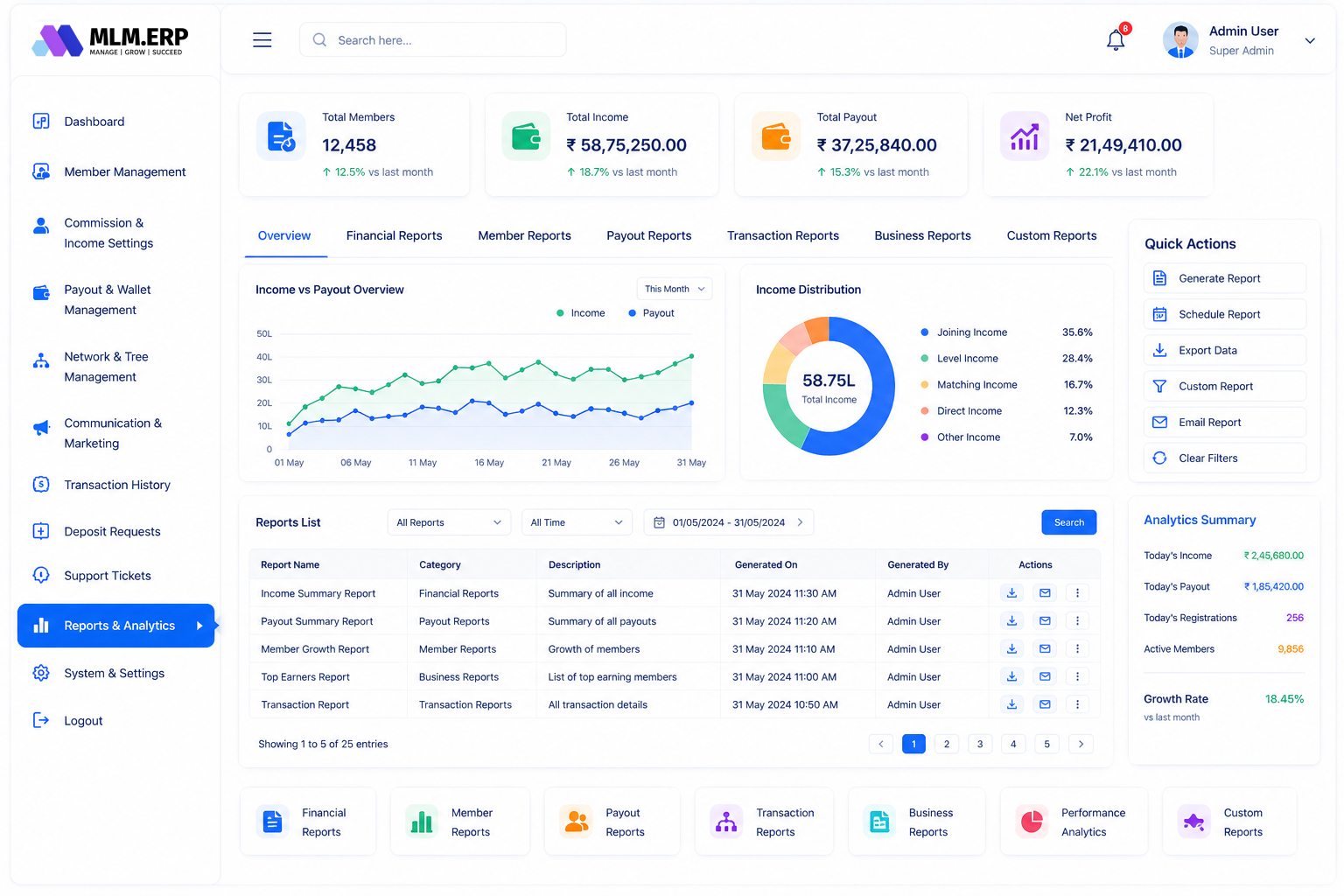
What is enterprise MLM software?
Enterprise MLM software is a direct selling platform built for large distributor networks operating across several countries, currencies and teams. It combines a high-volume commission engine with role-based access, audit logs, API integration to ERP and accounting systems, and full data ownership, so finance, compliance and field operations work from one reliable source of truth.
Run every market from one platform
Expanding into new countries should not mean running a separate system for each one. Keep one genealogy and one rulebook with local settings where needed.
Multi-currency wallets and payouts
Distributors earn and withdraw in their local currency while head office reports in a base currency.
Multi-language back office
Offer the distributor portal and apps in the languages your field speaks, from one configuration.
Regional payment options
Combine Indian gateways such as Razorpay and Cashfree with Stripe, PayPal, Skrill or USDT for international markets.
One global genealogy
Cross-border sponsorship is tracked in a single tree, so leaders building abroad are credited correctly.
Local tax rules
Apply TDS, GST and admin deductions per market so statements match each country's requirements.
Give finance and compliance full visibility
At enterprise scale, every payout must be explainable. Strong controls protect the company, its leaders and its reputation.
Role-based access
Define exactly which screens, reports and actions each admin, finance user or regional manager can reach.
Complete audit logs
Every configuration change, manual adjustment and approval is recorded with the user, time and before-and-after values.
Approval workflows
Withdrawals and manual credits pass through approval steps before money leaves the company.
Hardened security
Two-factor authentication, IP whitelist and blacklist, session management and automated backups reduce operational risk.
Connect MLM.ERP to the rest of your stack
Your direct selling platform holds valuable data. It should flow cleanly into the systems that run the wider business.
REST API access
Push orders from your ERP, pull commissions into accounting and sync stock with logistics through documented endpoints.
Reports for every team
More than 50 reports on sales, volume, ranks, payouts and tax, with exports for your BI tools.
Your data, your ownership
Member, order and payout data belongs to you, with backups and exports available whenever you need them.
Structured migration
Move from legacy systems with mapped trees, wallets and history, reconciled through a parallel run.
Dedicated support
A named team that knows your plan handles configuration changes, payout-day questions and escalations.
How enterprise rollouts work
-
1
Discovery and architecture
We map your markets, plan variants, integrations and reporting needs, and agree data ownership and access roles.
-
2
Configuration and integration
Plan rules, currencies, languages and taxes are configured, and APIs are connected to your ERP and finance systems.
-
3
Migration and parallel run
Legacy data is imported and commissions are calculated side by side with your current system until results reconcile.
-
4
Phased go-live
Markets or regions switch over in a planned sequence, with leaders briefed and support ready on each cut-over day.
-
5
Ongoing governance
Regular reviews cover plan changes, new markets, security settings and report requirements as the network evolves.
What to look for in enterprise MLM software
Use this list when you compare vendors. Ask each one to show you, not just tell you.
See MLM.ERP tick every box- Commission processing that keeps pace with peak order days without delaying payout cycles.
- Granular role-based permissions plus audit logs that record every manual change and approval.
- Native multi-currency and multi-language support, not separate installations per country.
- A documented REST API for ERP, accounting, CRM and logistics integration.
- Clear contractual data ownership, with full exports and regular automated backups.
- A proven migration method that reconciles legacy commissions before cut-over.
- Configurable tax and deduction rules per market, including TDS and GST in India.
- Named support contacts who understand your compensation plan and escalation paths.
Plans that work well here
Binary Plan
Two legs, one balanced team – pairing commissions calculated the moment volume lands.
LeadershipGeneration Plan
Reward leaders who build leaders – commissions follow ranked generations, not just levels.
Rank-drivenStair Step Plan
Climb volume-based steps, earn a higher percentage, and break away as a leader.
Questions we hear most often
Further reading
What makes MLM software enterprise-grade?
Enterprise-grade MLM software handles large volumes of transactions without slowing payouts, supports several countries and currencies in one system, and gives management tight control through role-based access, approvals and audit logs. It also integrates with ERP and accounting tools through an API and guarantees the company owns its data. MLM.ERP is built around these requirements rather than adding them later.
Can MLM.ERP integrate with our ERP or accounting system?
Yes. MLM.ERP exposes a REST API for members, genealogy, orders, wallets and payouts. Typical integrations push orders from an ERP or warehouse system, pull commission and TDS data into accounting, and sync distributor details with a CRM. Our team helps define the data flows and test them before go-live.
How does the platform handle multiple countries?
One installation supports multiple currencies and languages, with country-specific payment gateways, payout methods and deduction rules. Distributors keep a single position in the global genealogy, so cross-border sponsorship is credited correctly, while each market sees statements in its own currency and language. Head office can report across all markets or filter by country.
Who owns the data in MLM.ERP?
You do. Member records, genealogy, orders, wallet balances and payout history belong to your company. MLM.ERP runs automated backups and provides exports, so your data is never locked inside the platform. This matters for audits, regulatory requests and any future change in your technology strategy.
How are admin permissions and audits managed?
Admins are assigned roles that define which modules, reports and actions they can use, from read-only finance viewers to payout approvers. Every change, such as a manual wallet credit or a plan setting update, is written to an audit log with the user and timestamp. Two-factor login, IP whitelisting and session controls add further protection.
Can a large network move to MLM.ERP without disruption?
Yes, with planning. We map legacy data, import it into a staging environment and run both systems in parallel until commissions match. Go-live can be phased by market, and distributors are briefed in advance on new logins and apps. A rollback plan is agreed before each cut-over.
See MLM.ERP configured for your business
Tell us about your products, plan and markets. A product specialist will show you the admin panel, member back office and mobile app configured the way you work, then send a written proposal.