
MLM commission software that pays every distributor correctly
Commissions are the promise a direct selling company makes to its field, so they must be right every time. MLM.ERP calculates bonuses in real time across 20 plan types and hybrids, applies capping, carry-forward and deductions consistently, and keeps an audit trail that explains every figure on every statement.
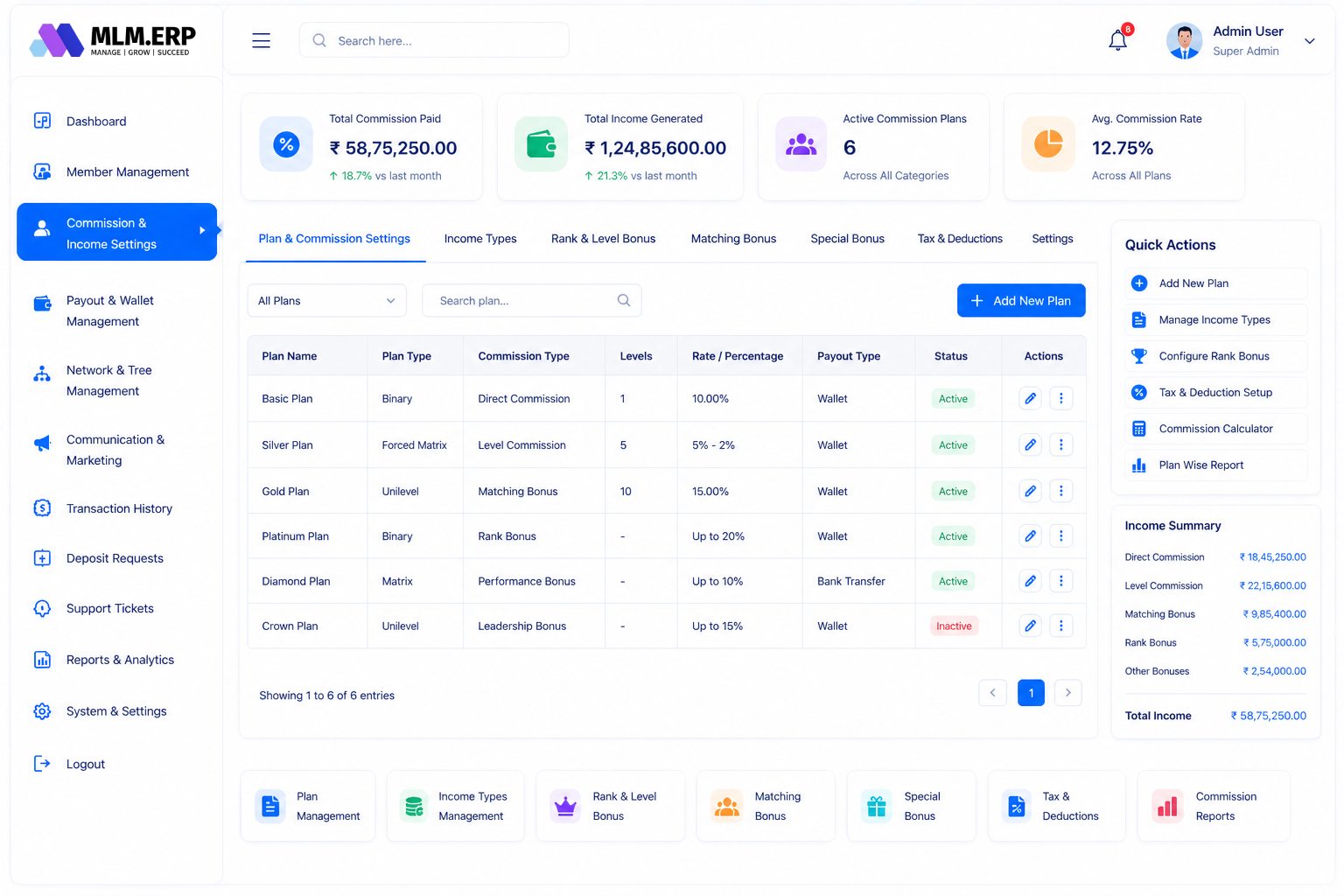
What is MLM commission software?
MLM commission software calculates what each distributor earns under a company's compensation plan. It reads joins, orders and rank changes, applies the plan's rules for levels, legs, capping, pools and deductions, then credits wallets and prepares payouts. Good commission software is configurable without code, calculates in real time and keeps an audit trail for every amount it pays.
Model the compensation plan you actually designed
Your plan should not be reshaped to fit the software. Configure rules through settings and keep control when the plan evolves.
20 plan types and hybrids
Combine binary pairing with unilevel residuals, generation bonuses or a stairstep breakaway in one configuration.
No-code rule builder
Set percentages, levels, qualifications and eligibility through admin settings instead of developer tickets.
Ranks, rewards and pools
Define rank criteria, one-time rewards and company-wide pools shared among qualifying distributors.
Bonuses beyond the core plan
Add fast-start, matching, leadership and repurchase bonuses alongside the main income types.
Keep payout cost predictable and fair
Uncontrolled payouts damage companies. Built-in safeguards protect margins without surprising distributors.
Capping and flush-out
Apply daily, weekly or monthly caps per income type and decide whether excess volume is flushed or retained.
Carry-forward rules
Carry unmatched leg volume into later cycles according to the limits your plan defines.
TDS and admin deductions
Deduct TDS automatically and apply admin or service charges before amounts reach the withdrawable wallet.
Main, bonus and hold wallets
Route income into separate wallets so unverified or pending amounts stay on hold until conditions are met.
Close every payout cycle with confidence
From calculation to bank transfer, every step should be traceable and quick enough to meet the dates you promise.
Plan simulator
Run what-if scenarios on sample networks to check payout ratios before a plan change goes live.
Flexible payout cycles
Run daily, weekly or monthly cycles, or let members request withdrawals that pass through approvals.
Bulk payouts
Pay approved withdrawals in bulk by bank transfer, UPI, wallet or crypto, with KYC checks enforced.
Audit trail and reports
Trace any commission back to its source transaction and review payout, rank and tax reports at any time.
From plan document to first payout
-
1
Translate the plan
We turn your plan document into precise rules for each income type, including edge cases and qualifications.
-
2
Configure the engine
Rules, ranks, caps, wallets and deductions are set up through the no-code configuration screens.
-
3
Simulate and verify
The simulator runs sample networks so you can check payout ratios and compare results with manual calculations.
-
4
Run a test cycle
A full payout cycle is processed in staging, statements are reviewed and any differences are resolved.
-
5
Go live and monitor
Commissions run in production, with reports and audit logs available to finance from the first cycle.
What to look for in MLM commission software
Use this list when you compare vendors. Ask each one to show you, not just tell you.
See MLM.ERP tick every box- Real-time calculation so distributors see earnings as they happen, not days later.
- Support for hybrid plans, not just one fixed plan type.
- Capping, carry-forward and flush rules you can configure per income type.
- A simulator that tests plan changes against realistic network data before release.
- Automatic TDS and configurable admin deductions, with clear statements for distributors.
- An audit trail linking every commission to its triggering transaction and rule.
- Separate hold wallets and approval steps before money leaves the company.
- Recalculation and reversal handling for returns, refunds and cancelled orders.
Plans that work well here
Binary Plan
Two legs, one balanced team – pairing commissions calculated the moment volume lands.
Team-friendlyMatrix Plan
A fixed-width grid that fills itself – predictable depth, shared spillover, clear payouts.
LeadershipGeneration Plan
Reward leaders who build leaders – commissions follow ranked generations, not just levels.
Questions we hear most often
Further reading
How is MLM commission calculated?
Commission is calculated by applying the rules of the compensation plan to sales and network events. For example, a binary plan pairs volume from left and right legs, while a unilevel plan pays a percentage on each level of downline sales. Capping, qualifications and deductions are then applied. MLM.ERP performs these steps automatically and records how each figure was produced.
Can commission software handle a hybrid compensation plan?
Yes, if it is designed for it. MLM.ERP lets you combine income types from different plan families, such as binary pairing, unilevel residuals, generation bonuses and rank-based pools, within one plan. Each income type keeps its own rules, caps and wallet routing, and the simulator shows how they interact before launch.
What is capping and carry-forward in MLM payouts?
Capping limits how much a distributor can earn from an income type in a period, protecting the company's payout ratio. Carry-forward keeps unmatched volume, typically in binary plans, for use in a later cycle. Flush-out discards volume above a limit. MLM.ERP lets you configure each of these per income type and per cycle.
Does MLM.ERP deduct TDS from commissions automatically?
Yes. TDS is deducted automatically at the rate you configure, and admin or service charges can be applied too. Distributor statements show the gross amount, each deduction and the net payable, and finance teams can export TDS reports for filing. Rates and thresholds should be confirmed with your tax adviser.
What is an MLM plan simulator used for?
A plan simulator, sometimes called a commission calculator, tests how a compensation plan behaves on sample network shapes and sales volumes. It helps you check payout ratios, find rules that leak money and understand what distributors would earn before you launch or change a plan. MLM.ERP includes a simulator alongside the live engine.
How often can MLM commissions be paid out?
That depends on your plan. MLM.ERP supports daily, weekly and monthly cycles, as well as member-requested withdrawals that pass through approval steps. Approved amounts can be paid in bulk by bank transfer, UPI, wallet or crypto, and KYC checks can be enforced before any withdrawal is released.
See MLM.ERP configured for your business
Tell us about your products, plan and markets. A product specialist will show you the admin panel, member back office and mobile app configured the way you work, then send a written proposal.