
A distributor back office members actually use
Every distributor gets a clear panel on web and mobile to follow their earnings, grow their team, manage their wallet and reorder products, without calling the office.
- 5 modules
- 26 features
- Web + app access
What is the MLM.ERP member panel?
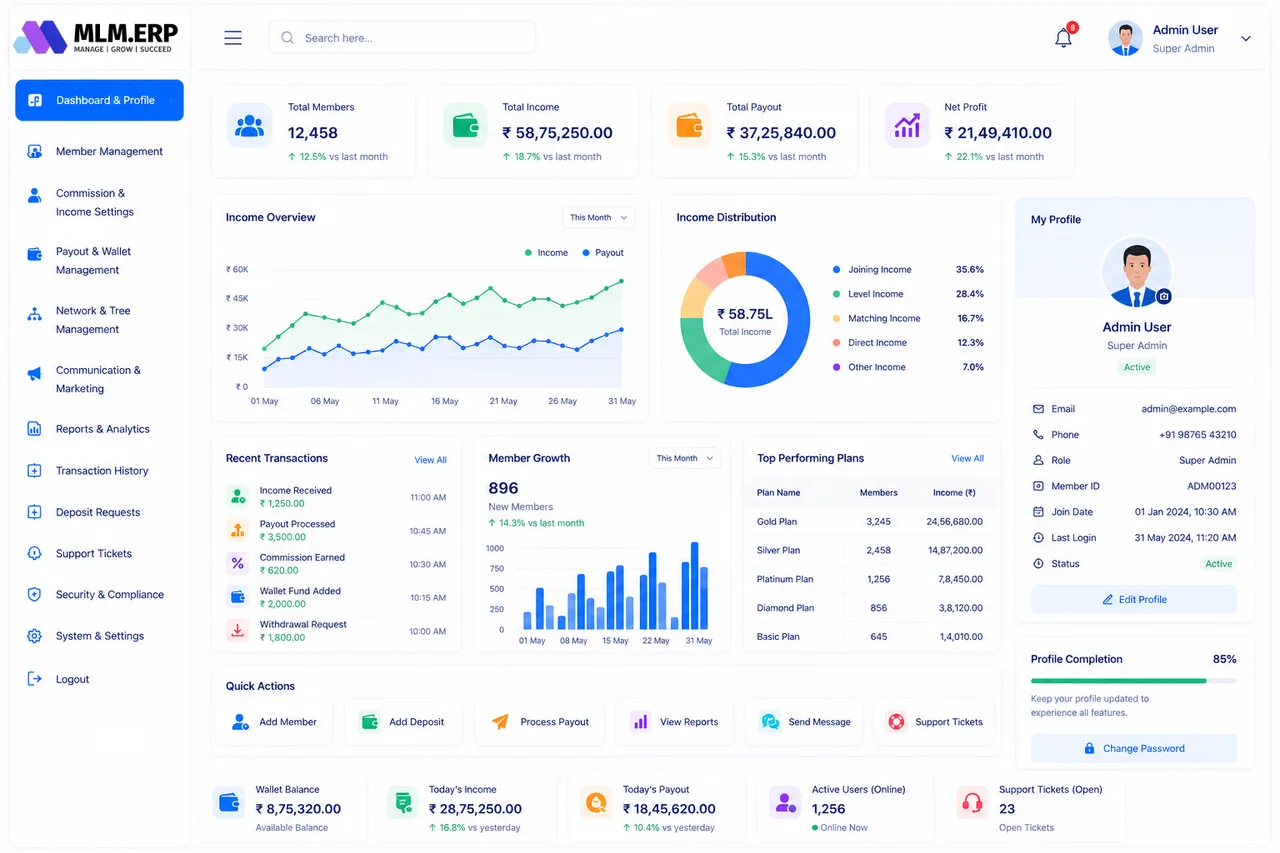
An MLM member panel, or distributor back office, is where each member of the network manages their own business. MLM.ERP's member panel has 26 features in five groups: dashboard and profile, network tools, earnings and finance, E-Pins and products, and advanced tools such as notifications, promotion and multi-language support.
Dashboard & profile
A personal home page that shows where the member stands today.
- Personal dashboardPhoto, rank, team size and this period's earnings when the member logs in.
- Welcome letter and onboarding kitNew members download their welcome letter and starter material.
- Profile and KYCMembers keep their details current and upload KYC documents for approval.
- Awards and rewardsShows rewards already earned and the targets for the next one.
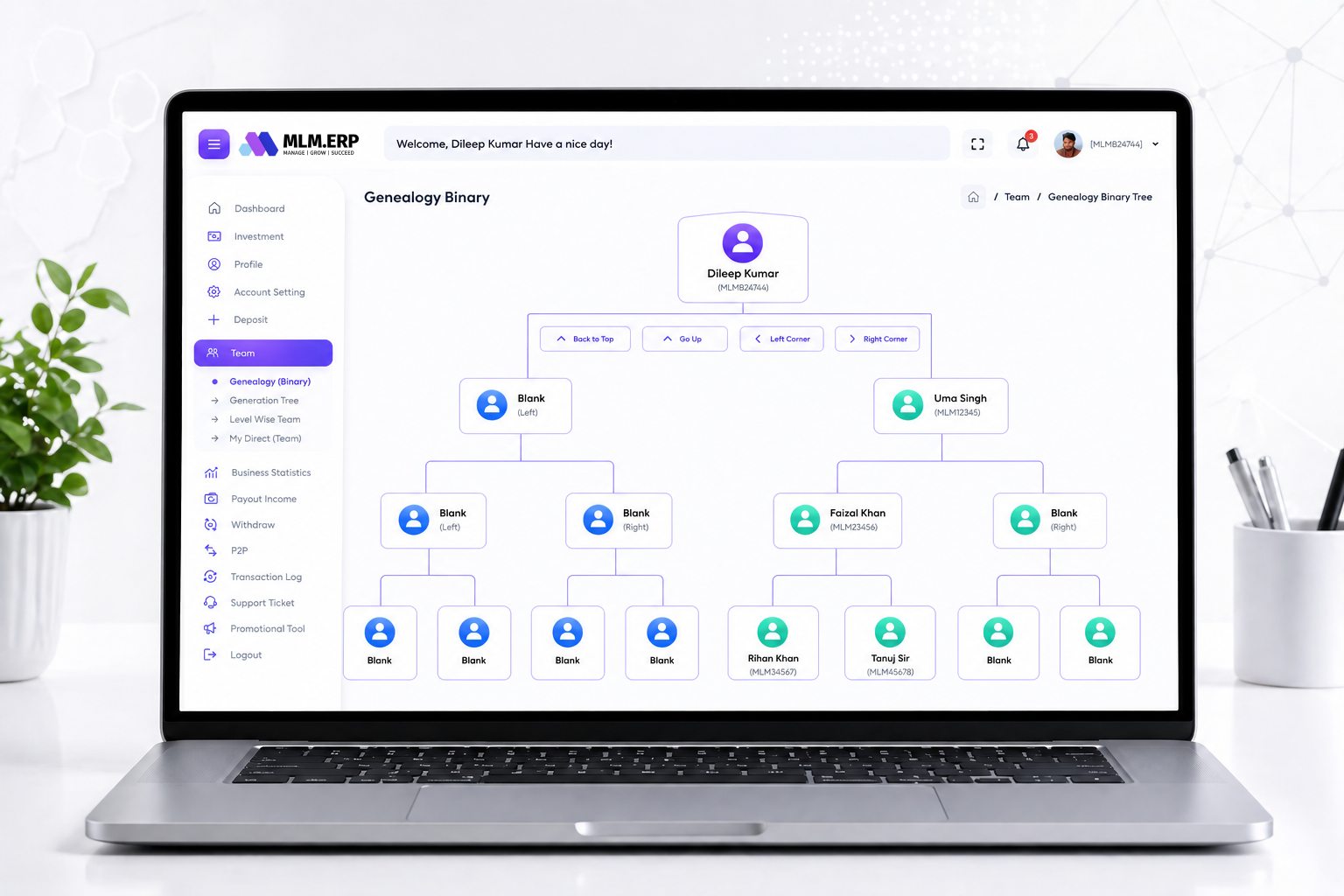
Network & downline tools
Members see and support the team they are building.
- Visual genealogyAn interactive tree that expands node by node.
- Binary tree viewLeft and right legs with volume and carry-forward for binary plans.
- Structure viewThe sponsor line above and the team below in one view.
- Tabular downline reportThe same team as a sortable list for quick follow-up.
- Downline managementFind inactive members and those close to a rank or bonus.
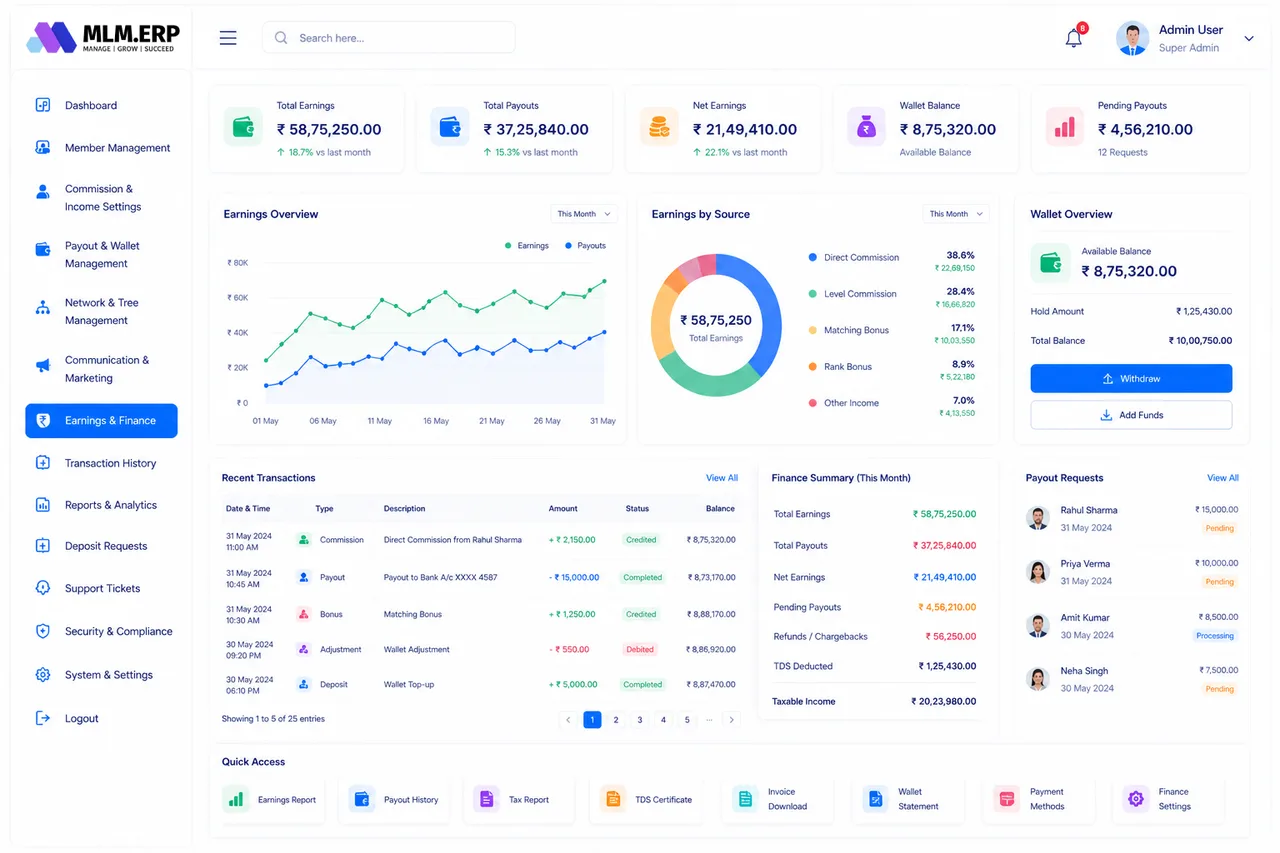
Earnings & finance
Every rupee, dollar or token explained, from credit to withdrawal.
- Income dashboardEarnings by bonus type and period.
- Payout historyEvery withdrawal with date, method, deductions and status.
- TDS reportTax deducted on each payout for the member's own filing.
- E-walletAvailable, held and total balance with a full ledger.
- Fund transferSend wallet balance to another member when the company allows it.
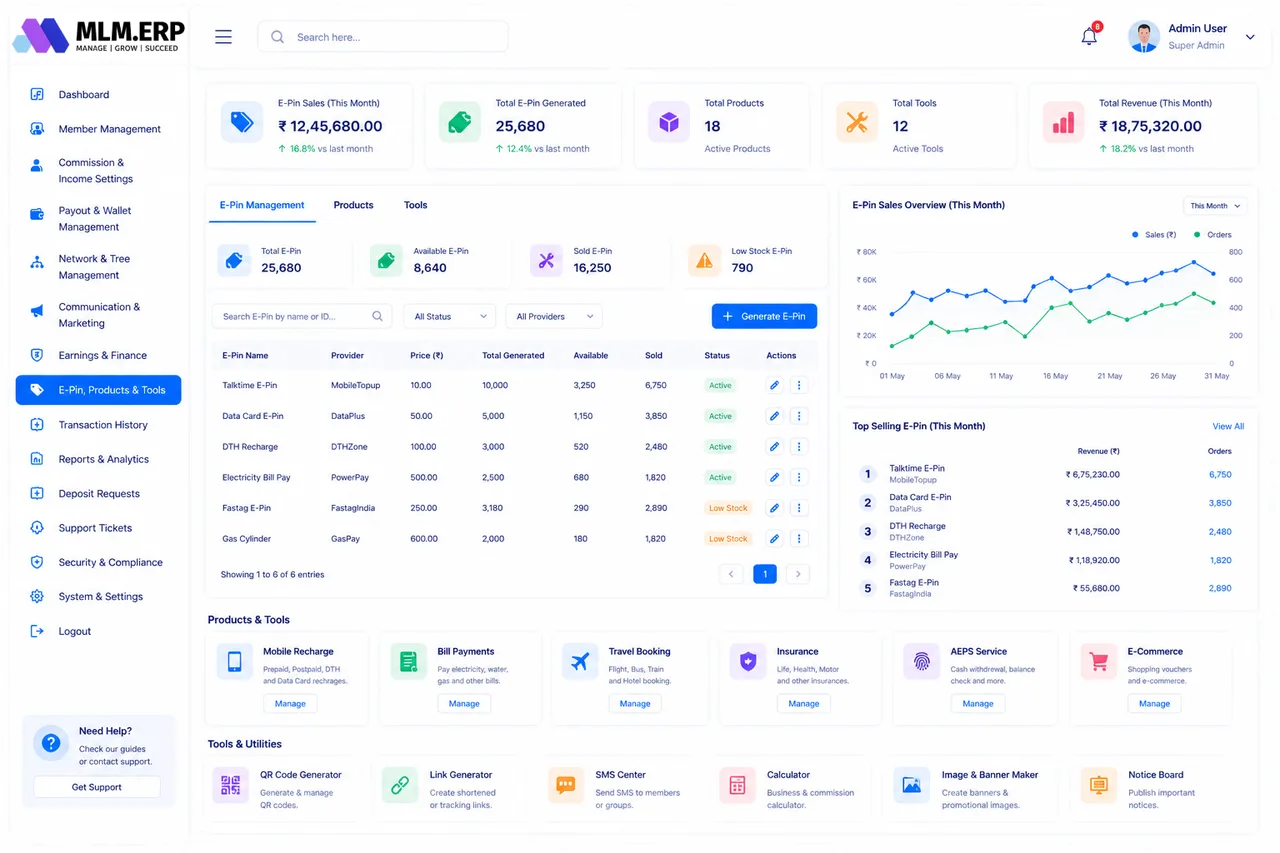
E-Pins, products & tools
Ways to buy, reorder and help others join.
- E-Pin and e-voucher managementBuy, view and use pins for joining or upgrades.
- Pin transferPass pins to a new recruit or team member.
- Product repurchaseReorder products so repeat sales count toward income.
- TestimonialsMembers submit success stories for the company to publish.
- Company blogNews and training articles inside the back office.
- Support ticketsRaise a question and follow the reply.
Advanced tools
Extras that keep members informed and productive.
- Smart notificationsAlerts for new joins, commission credits and rank changes.
- Promotional toolsReferral links and ready-made marketing material to share.
- Theme optionsLight or dark look and layout preferences.
- Multi-language panelThe back office in the member's own language.
- Lead captureCollect prospects from referral links into a personal list.
- Automatic spillover placementNew recruits are placed in the right leg or position automatically.
Explore the other parts of MLM.ERP
Admin panel
Members, commissions, payouts, network, communication, reports and security, run from one control room.
59 featuresFranchise panel
Reports, payouts, TDS, GST and profit tracking for franchisees and stockists, without admin rights.
20 featuresWebsite & CMS
Your company website, joining form, product catalogue, achievers gallery and news, managed without code.
18 features60+ reports
Member, network, income, payout, product, wallet, analytics, security and custom reports with Excel and PDF export.
68 reportsMember panel: common questions
What is an MLM member panel?
It is the private back office every distributor logs into. In MLM.ERP members use it to see earnings by bonus type, view their genealogy, manage their e-wallet and withdrawals, buy or transfer E-Pins, reorder products, download TDS reports and raise support tickets.
Can members use the panel on their phones?
Yes. The member panel is responsive on any browser, and the same features are in the white-label Android and iOS app, with push notifications for commissions and new joins.
Can members see their whole downline?
Members see the team below them in a visual tree and as a list. How deep they can see, and whether they can see the sponsor line above them, is set by the company in tree settings.
Does the member panel support other languages?
Yes. The member panel can be offered in several languages, including Hindi and regional Indian languages and right-to-left scripts where needed.
See the member panel working on your own plan
Tell us about your products, plan and markets. A product specialist will show you the admin panel, member back office and mobile app configured the way you work, then send a written proposal.