
A franchise panel for stockists and area partners
Franchisees see the members, sales and money that belong to them, with their own reports and profit figures, while the head office keeps full control.
- 2 modules
- 20 features
- Web + app access
What is the MLM.ERP franchise panel?
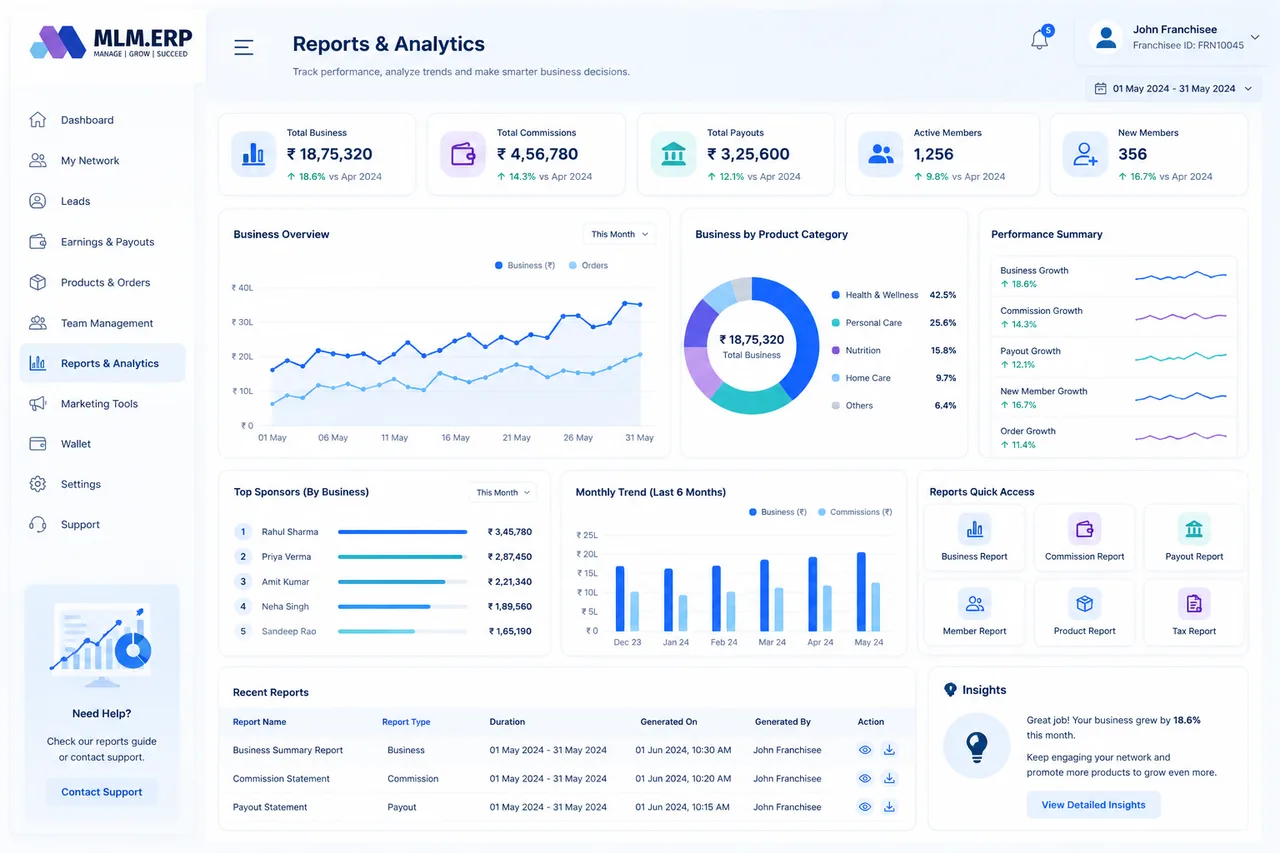
A franchise panel in MLM software is a limited back office for franchisees, stockists or area partners. In MLM.ERP it gives them 20 features: 16 reports on members, payouts, taxes and sales, plus four views that track their profit margin, area commission, retail profit and incentives, without access to company-wide settings.
Franchise reports & analytics
Every report a franchisee needs to run their territory and reconcile with head office.
- Member reports by date or IDMembers registered through the franchise in any date range.
- Payout reportPayouts made to members the franchise looks after.
- TDS reportTax deducted on those payouts.
- GST reportGST collected on franchise sales.
- Withdrawal reportRequests raised, approved and pending.
- Excel export and printEvery report downloads to Excel or prints for the file.
- User transactionsEach member's purchases and credits.
- E-wallet reportWallet movements for the franchise's members.
- Downline reportThe teams growing under the franchise.
- Expense reportCosts the franchise records against its business.
- Staff reportActivity of the franchise's own staff accounts.
- Bank transfer reportTransfers made to and from the franchise.
- Website trafficVisits to the franchise's pages or referral links.
- Admin charges reportProcessing charges deducted on the franchise's business.
- Income reportCommission and margin earned by the franchise.
- Profit and lossIncome against expenses for any period.
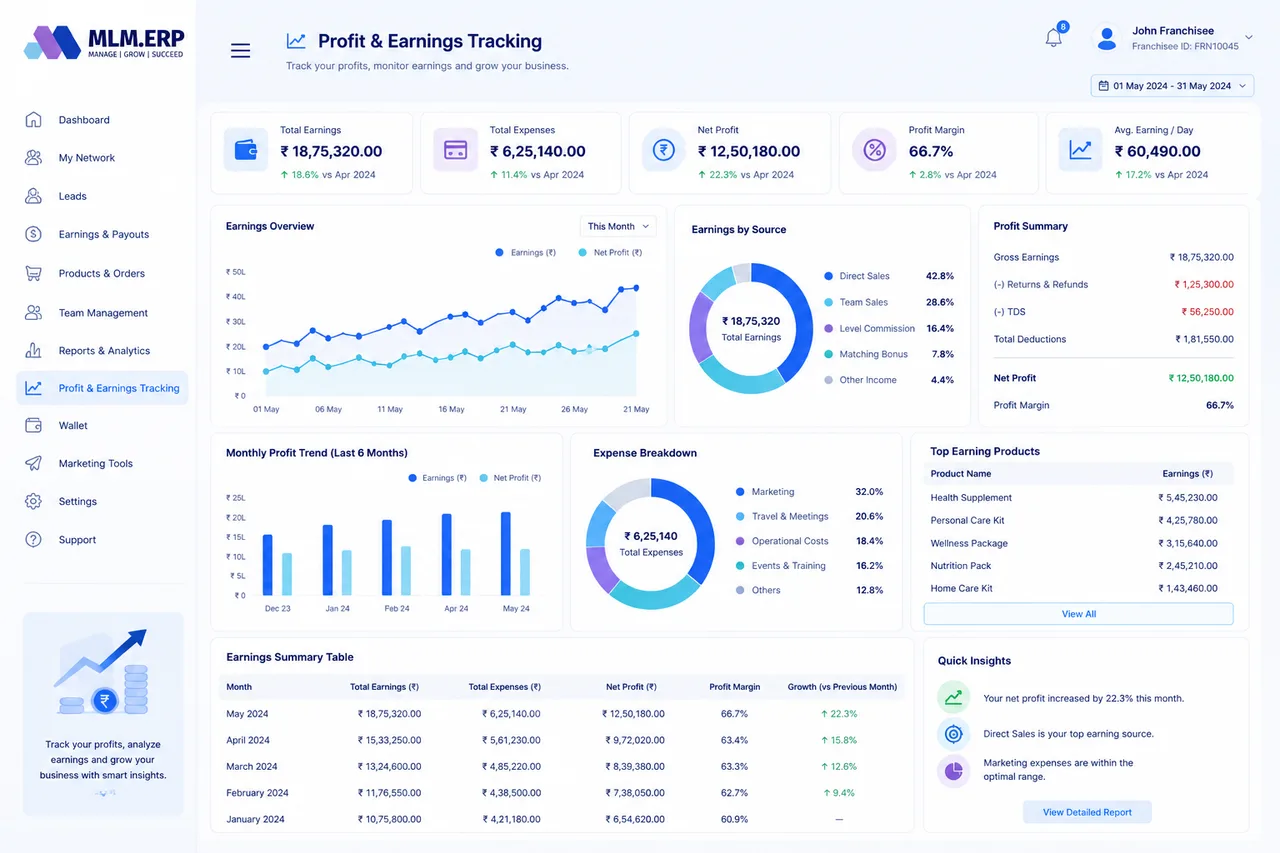
Profit & earnings tracking
How much the franchise is really making, and from where.
- Profit marginMargin on every product sold through the franchise.
- Area sales commissionCommission on sales in the franchise's territory.
- Retail profitThe difference between franchise price and retail price.
- Incentives and bonusesExtra rewards earned for targets and promotions.
Explore the other parts of MLM.ERP
Admin panel
Members, commissions, payouts, network, communication, reports and security, run from one control room.
59 featuresMember panel
The distributor back office: earnings, wallet, team tree, E-Pins, repurchase and support on any device.
26 featuresWebsite & CMS
Your company website, joining form, product catalogue, achievers gallery and news, managed without code.
18 features60+ reports
Member, network, income, payout, product, wallet, analytics, security and custom reports with Excel and PDF export.
68 reportsFranchise panel: common questions
What is a franchise panel in MLM software?
It is a separate login for franchisees, stockists or area partners. They see the members, sales, payouts and taxes that belong to their territory, plus their own profit, without access to company-wide settings or other franchises' data.
Can franchisees issue E-Pins or sell products?
Franchise accounts are created from the admin panel, and the company decides what each can do, such as holding E-Pin stock, selling products or registering members. Everything they do appears in head-office reports.
Are franchise reports GST and TDS ready?
Yes. The franchise panel includes separate GST and TDS reports, along with payout, withdrawal, income and profit-and-loss reports that export to Excel.
See the franchise panel working on your own plan
Tell us about your products, plan and markets. A product specialist will show you the admin panel, member back office and mobile app configured the way you work, then send a written proposal.